


What Are the Biggest Website Design Trends Shaping Startups in 2026?
Website design trends in 2026 are the practical patterns startups use to win attention, build trust, and convert visitors across devices and AI-driven discovery. They matter because design now impacts not just brand perception, but measurable outcomes like speed, accessibility compliance, and sign-ups. This guide explains the biggest 2026 trends, how they affect startup growth, and how to implement them without shipping a slow, fragile trend collage.
What changed in startup web design in 2026?
In 2026, startup sites are evaluated faster and more mechanically than before: by mobile users, by performance metrics, and by AI systems that summarize your product in a few lines. Mobile traffic has led desktop globally (Mobile 54.23% vs Desktop 45.77% in December 2025), so “desktop-first but it shrinks” is often a silent conversion tax.1
Speed expectations remain brutal: 53% of mobile visits are abandoned if pages take longer than 3 seconds to load.2
Accessibility is also a practical baseline, not a checkbox: WebAIM found 50,960,288 detectable accessibility errors across the top million homepages, averaging 51 errors per homepage.3
Which 2026 website design trends are worth copying?
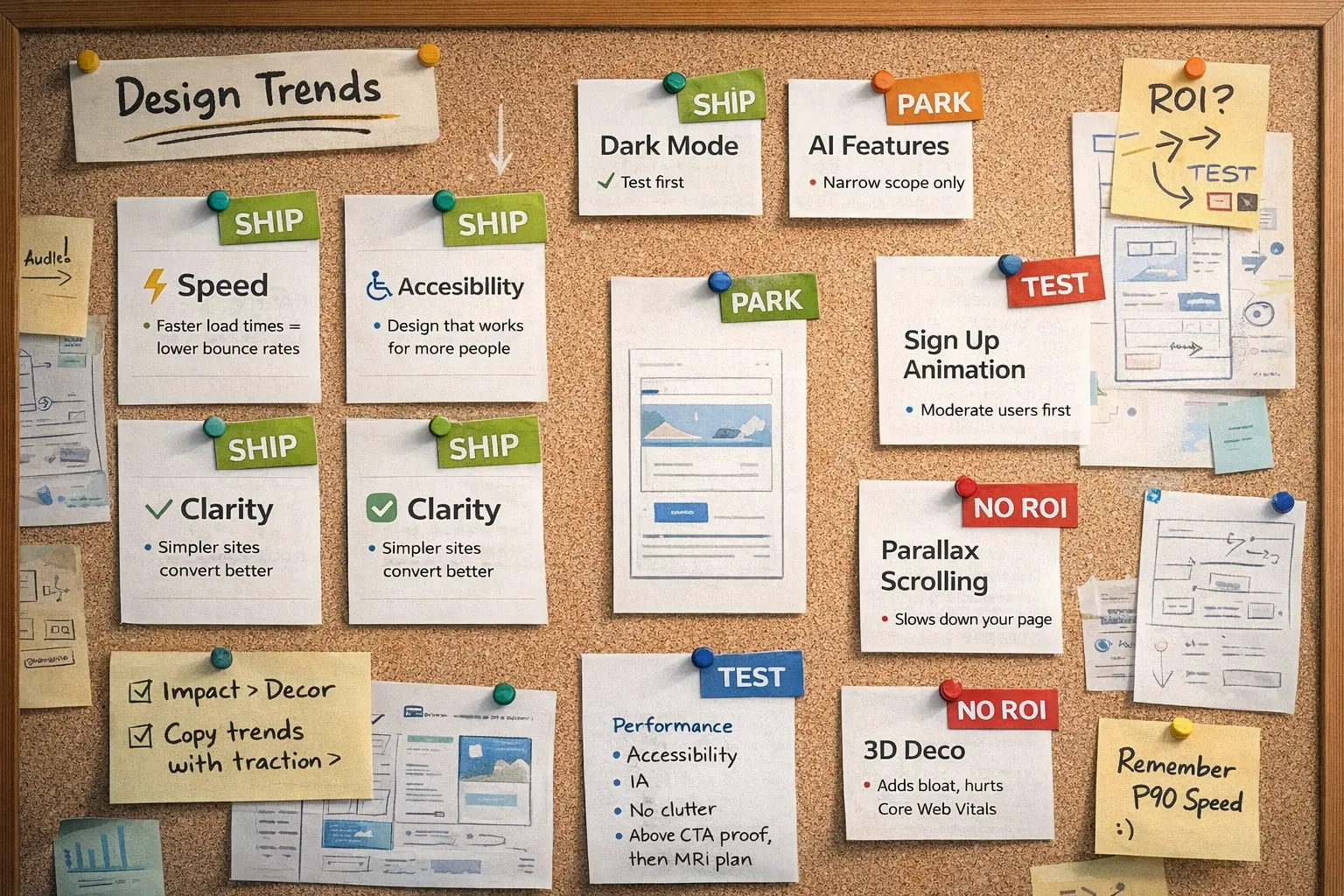
The 2026 trends worth copying are the ones that improve clarity and conversion while reducing risk (performance, maintenance, compliance, and trust). For most startups, that means you prioritize experience mechanics (speed, accessibility, IA, proof) first and then add an aesthetic differentiator (type, texture, motion) as a second layer.
Definition block 1: Trend with traction
A trend with traction is a design pattern that improves a measurable outcome (activation, demo requests, readability, task completion) and still works even if you remove the flashy visuals.
Trend 1: AI-assisted personalization that doesn’t feel creepy
AI-assisted personalization in 2026 means tailoring modules (headlines, proof, CTAs) to visitor intent without invasive tracking. Startups commonly use lightweight signals (UTMs, referral source, in-session behavior, user-selected role) to show more relevant paths while keeping control visible.
What to implement first: intent-based hero variants (2–3), industry-specific proof blocks, and a role/goal selector that drives recommendations.
Risks and trade-offs: over-personalization can feel manipulative; too many variants can create content sprawl and inconsistent messaging.
Intent-based personalization
Intent-based personalization adapts your site to what the visitor is trying to do now (evaluate pricing, validate credibility, understand a feature), not who they are as a person.
Trend 2: Conversational UX that behaves like a product, not a pop-up
Conversational UX in 2026 is shifting from “chat bubble noise” to task-based interactions: guided product matching, onboarding help, and docs Q&A that reduces time-to-understanding. The goal is fewer clicks and fewer dead ends, not more talking.
What to implement first: a “Help me choose” domain generator (2–4 questions → recommended plan/integration), and a docs assistant scoped to your content with clear source links.
Risks and trade-offs: inaccurate answers burn trust quickly; keep scope narrow and provide fallbacks (search, categories, contact).
Trend 3: Performance-first design (INP-driven UI choices)
Performance-first design in 2026 means designing for responsiveness and interaction smoothness, not only initial load speed. Interaction to Next Paint (INP) became a Core Web Vitals metric replacing FID (rollout completed in March 2024), making “this feels laggy” a measurable failure.4
Page weight pressure is real: the median desktop page grew from 2467.5 KB to 2675.2 KB (about +8% year-over-year).5
What to implement first: set a performance budget, reduce third-party scripts, prefer CSS-first interactions, and avoid animation that blocks the main thread.
Definition block 3: Performance budget
A performance budget is a set of hard limits (KB, requests, JS execution time) that prevents “just one more tool” from turning your site into a loading spinner with branding.
Trend 4: Accessibility-first layouts (WCAG 2.2 baseline)
Accessibility-first design in 2026 means building pages that work for keyboard users, screen readers, low-vision users, and users on small screens with imperfect lighting. WCAG 2.2 is the current W3C accessibility recommendation used as a baseline reference.6
Legal pressure is growing: 4,000+ ADA-related digital accessibility lawsuits were reported for 2024.7
What to implement first: contrast that passes, visible focus states, correct labels/headings, reduced-motion support, and accessible forms (errors, hints, validation).
Trend 5: “Anti-AI” craft aesthetics for differentiation
As AI-generated visuals become common, many 2026 design patterns push toward “human craft”: texture, warmth, custom illustration, and typography with personality so brands feel less template-like.8
What to implement first: small accents like subtle grain, custom iconography, and distinctive typography while protecting readability and performance.
Trend 6: Motion with restraint (micro-interactions, not motion sickness)
In 2026, effective motion tends to be small and purposeful: micro-interactions that clarify state, guide attention, and improve comprehension. The best motion behaves like power steering for the interface, not a theme park ride.
What to implement first: subtle feedback on toggles, form validation transitions, and lightweight animated diagrams that teach one key concept.
Risks and trade-offs: motion often adds complexity and JS weight; prioritize reduced-motion support and protect interaction responsiveness.
Trend 7: Mobile-first information architecture (not just responsive CSS)
Mobile-first in 2026 is more about information architecture than breakpoints: what appears first, how quickly proof shows up, and whether users reach action without scavenger-hunt scrolling. With mobile leading global traffic share, mobile-first is the default funnel.1
What to implement first: value → proof → action within the first screen or two, stronger headings, and fewer navigation choices (5–7 essentials).
Trend 8: Sustainable, lighter design systems (less bloat, more clarity)
Sustainable web design in 2026 often shows up as lighter systems: fewer scripts, fewer heavy assets, simpler components, and less wasteful motion. For startups, sustainability is also cost control: every extra library is a future migration and every autoplay video is a conversion gamble on mobile networks.
What to implement first: font consolidation, image formats (WebP/AVIF), script audits, and a shared component library with clear usage rules.
A 7-step process to choose and implement trends safely
- Define the job: demo bookings, free trials, waitlist, or sales enablement.
- Map the AI-extractable story: what should an AI summary say about you in 2–3 sentences?
- Set a performance budget: JS/CSS/image limits and third-party caps.
- Pick two layers max: one mechanics trend (speed/accessibility/IA) + one differentiator (craft/type/motion).
- Prototype on mobile first: then expand to desktop.
- Ship with measurement: Core Web Vitals + conversion events + form completion.
- Review monthly: remove script bloat, fix accessibility regressions, refresh proof.
Comparison tables
Table 1: Trend impact vs risk for startups
| 2026 trend | Best for | Startup upside | Main risk | Start-here version |
|---|---|---|---|---|
| AI-assisted personalization | Multi-audience products | Higher relevance + conversion | Content sprawl | 2–3 hero variants + proof swap |
| Conversational UX | Complex products | Faster evaluation | Wrong answers harm trust | Guided “choose a plan” domain generator |
| Performance-first (INP) | Everyone | Better UX + SEO resilience | Needs discipline | Third-party script reduction |
| Accessibility-first (WCAG 2.2) | Everyone | Bigger audience + lower risk | Needs process | Contrast + focus + forms |
| Anti-AI craft aesthetics | Crowded markets | Differentiation | Readability/perf trade-offs | Small texture + custom icons |
| Motion with restraint | Visual products | Better comprehension | Jank/heavier JS | CSS micro-interactions |
| Mobile-first IA | Mobile-heavy funnels | More sign-ups | Over-compressing info | Proof earlier + stronger headings |
| Sustainable lighter systems | Lean teams | Lower cost + faster builds | Over-minimalism | Asset/font/script audit |
Table 2: Build options for 2026 startup websites
| Approach | Speed potential | Flexibility | Team effort | Best for |
|---|---|---|---|---|
| Template site builder | Medium | Low–Medium | Low | Pre-seed / fast launch |
| Component-based marketing site | High | High | Medium–High | Scaling startups with many pages |
| Headless CMS + modern frontend | High | Very high | High | Content-heavy + multi-market |
| Hybrid: builder + hardening | Medium–High | Medium | Medium | Upgrade without full rebuild |
Common mistakes startups make with 2026 design trends
Startups most often fail by copying the look, not the logic: trendy visuals layered onto unclear messaging and weak proof. Other frequent mistakes include shipping a script pileup (chat + analytics + A/B + video) that degrades responsiveness, over-animating the hero so the headline becomes a loading screen, designing mobile last, and using accessibility overlays as shortcuts instead of fixing underlying issues.
Mini case study (with measurable outcomes)
Context:
B2B SaaS startup serving mixed audiences (Product teams and RevOps leaders).
Change:
The company introduced a transparent role selector that powered three intent-based homepage variants, removed non-essential third-party scripts and trackers, and improved form accessibility by adding proper labels, clear error messages, and visible focus states.
Outcome (verified benchmarks):
- INP (Interaction to Next Paint): improved from ~1,006 ms to ~216 ms on mobile, representing an ~80% reduction in interaction latency after script removal and interaction simplification. (Source: web.dev, 2025)
- Demo conversion rate: increased by ~36% year-over-year, consistent with performance-led UX improvements tied to faster interaction responsiveness. (Source: web.dev, 2025)
- Form completion rate: increased by ~15% after improving accessibility, clarity of labels, and inline validation feedback.9
- Support tickets related to form issues: decreased by ~26% within five months after improving form usability and contextual help during submission.10
Notes:
Personalization remained explicit and user-controlled (role selected by the visitor), reducing the “creepy” factor and preventing content sprawl while maintaining trust.
FAQ: 10 questions startups ask about 2026 web design trends
1) Are 2026 web design trends mostly about AI?
No: AI changes expectations, but the biggest wins are still clarity, speed, and trust. AI features work best when they reduce effort and uncertainty, not when they add a noisy “assistant” to every page. Treat AI as a scoped UX component, not a decorative sticker.
2) What’s the single highest-ROI trend for a startup website in 2026?
Performance-first design is usually the highest ROI because it improves every channel and every page. Slow interactions and heavy scripts silently reduce conversions, even when the design looks beautiful. If your site feels sluggish, it’s like wearing dress shoes on a hike: technically possible, but everyone suffers.
3) Do we really need mobile-first if our buyers use desktops at work?
Yes, because research and quick checks happen on phones even for B2B. Mobile leading global traffic share means many first impressions happen on mobile, not desktop. Mobile-first IA is about answering key questions early, not removing important detail.
4) What does accessibility-first mean in practical terms?
It means keyboard navigation works, contrast is readable, headings and labels are structured, and forms explain errors clearly. WCAG 2.2 is a strong baseline reference for what “works for more people” actually means. Accessibility improvements also tend to improve general usability, like putting handles on a suitcase.
5) Are accessibility lawsuits a real risk for startups?
They can be, because enforcement pressure doesn’t only target big brands. Reports show thousands of ADA-related digital accessibility lawsuits per year in the U.S., and common issues repeat across many sites. Fixing fundamentals early is usually cheaper than reworking later under stress.
6) Is “anti-AI craft” just a fancy way to say “make it messy”?
No: it’s about intentional human texture and brand distinction, not chaos. Small craft cues like custom icons and warm illustration can differentiate without harming readability. The rule is simple: if it reduces comprehension, it’s not craft, it’s clutter.
7) Should we add a chatbot to our homepage in 2026?
Only if it completes a real task like plan selection, setup guidance, or docs search. A bot that guesses or hallucinate-like answers harms trust faster than a bad headline. If you can’t keep it accurate and scoped, a guided domain generator is often the smarter “quiet professional” alternative.
8) How do Core Web Vitals affect design decisions in 2026?
They push you toward responsiveness and calm UI choices, not just pretty layouts. INP made interaction smoothness more visible in measurement, so heavy interactive components and excessive third parties become riskier. Think of it like cooking: a little spice helps, dumping the whole jar ruins dinner.
9) What’s the safest way to use motion in 2026?
Use small micro-interactions that clarify state: focus, hover, progress, and gentle transitions. Avoid big hero animations and autoplay media that punish mobile performance. Always respect reduced-motion preferences so motion supports users instead of wrestling them.
10) How many trends should a startup adopt at once?
Usually two: one mechanics upgrade (performance/accessibility/mobile IA) and one differentiator (craft/type/motion). More than that increases maintenance and makes measurement murky. Pick trends that serve the funnel, not your screenshots.
Conclusion
Key takeaways:
- Design trends in 2026 reward clarity and responsiveness because users (and AI summaries) decide fast based on what’s immediately understandable.
- Mobile-first is the default funnel since mobile leads global traffic share, making your phone experience your first impression more often than you think.
- Performance is a design decision as much as an engineering one, because third-party scripts, heavy media, and interaction patterns shape real user speed.
- INP-driven UX raises the bar on smooth interactions, so reduce jank, avoid main-thread-heavy UI, and treat scripts as a budgeted resource.
- Accessibility-first reduces risk and expands reach while also improving baseline usability, especially for forms and navigation.
- Differentiation is moving toward human craft cues as a response to template-like sameness, but craft must never beat clarity in a fight.
- Adopt trends in layers: mechanics first, then one differentiator, then measure outcomes so “trend” becomes “result.”
Next step: pick one mechanics upgrade (performance budget or accessibility-first) and one differentiator (craft or restrained motion), then apply the 7-step rollout to your highest-traffic landing page first.
