


If you own a domain and send email, SPF, DKIM, and DMARC are mandatory security controls. SPF defines which servers are allowed to send email for your domain. DKIM cryptographically proves that an email was not altered and truly originated from your domain. DMARC connects SPF and DKIM, enforces what inbox providers should do when checks fail, and gives you visibility through reports. Together, they prevent spoofing, reduce phishing, protect brand reputation, and improve deliverability. The safest approach is fully configure SPF and DKIM first, then roll out DMARC gradually from monitoring to enforcement.
Email authentication protocols are core infrastructure for domain security. Without them, attackers can impersonate your domain, customers may receive phishing emails in your name, and legitimate messages can be flagged as spam. This guide explains how SPF, DKIM, and DMARC work, how they interact, and how to implement them safely using a proven checklist-driven workflow.
Why SPF, DKIM & DMARC Matter for Domain Security
Email remains one of the most abused attack vectors online. Phishing, invoice fraud, account takeovers, and business email compromise rely heavily on domain impersonation. Inbox providers cannot reliably distinguish legitimate email from forged messages unless authentication is present. When correctly implemented, SPF, DKIM, and DMARC prevent spoofing, improve inbox placement, protect users, and signal operational maturity.
Definition: SPF (Sender Policy Framework)
SPF is a DNS-based authentication method that specifies which mail servers are authorized to send email on behalf of your domain. Think of SPF as a server-level allowlist. If a sender is not listed, inbox providers are warned the message may be fraudulent. SPF validates the sending IP address but does not protect the message content.
Definition: DKIM (DomainKeys Identified Mail)
DKIM uses cryptographic signatures to verify that an email genuinely originated from your domain and was not altered in transit. Each message is signed with a private key, while a public key is published in DNS. DKIM protects message integrity and sender authenticity and works reliably even when emails are forwarded.
Definition: DMARC (Domain-based Message Authentication, Reporting & Conformance)
DMARC is a policy and reporting framework built on SPF and DKIM. It tells inbox providers how to handle authentication failures and sends reports back to the domain owner. DMARC introduces enforcement through policies (none, quarantine, reject) and requires alignment between authentication results and the visible From address.
How SPF Works
When an email is received, the inbox provider checks the sending IP against the domain’s SPF record. If the IP is authorized, SPF passes. If not, SPF fails or soft-fails. SPF is limited to one record per domain and a maximum of 10 DNS lookups, which makes careful configuration essential.
How DKIM Works
Outgoing mail servers sign each message using a private key. The receiving server retrieves the corresponding public key from DNS and verifies the signature mathematically. If the signature matches, the message is trusted as authentic and untampered. DKIM does not encrypt content; it only proves integrity.
How DMARC Works
DMARC checks whether SPF or DKIM passed and whether they align with the From domain users see. Based on the published policy, inbox providers will monitor, quarantine, or reject failing messages. DMARC reports provide critical visibility into legitimate senders, misconfigurations, and abuse.
SPF vs DKIM vs DMARC
| Feature | SPF | DKIM | DMARC |
|---|---|---|---|
| Authorizes senders | Yes | No | Indirect |
| Protects message integrity | No | Yes | Yes |
| Enforces policy | No | No | Yes |
| Provides reporting | No | No | Yes |
Step-by-Step: How to Set Up SPF
- Inventory all email-sending services
- Identify authorized IPs and include domains
- Build a single SPF record
- Publish as a DNS TXT record
- Validate syntax and lookup limits
- Monitor and update as vendors change
Step-by-Step: How to Set Up DKIM
- Enable DKIM in your email provider
- Generate a DKIM key pair
- Publish the public key in DNS
- Enable outbound signing
- Verify signatures on live email
Step-by-Step: How to Set Up DMARC
- Start with p=none monitoring
- Enable aggregate reporting
- Review reports for 30–60 days
- Fix alignment issues
- Gradually move to quarantine
- Enforce reject once confident
Common Mistakes to Avoid
- Publishing multiple SPF records
- Exceeding SPF DNS lookup limits
- Enforcing DMARC too early
- Ignoring DMARC reports
- Misaligned DKIM selectors
Mini Case Study: Stopping Domain Spoofing
A SaaS company experienced phishing attacks impersonating their domain. They implemented SPF across all vendors, enabled DKIM everywhere, deployed DMARC monitoring, then enforced a reject policy. Result: phishing volume dropped sharply, inbox placement improved, and brand trust was restored.
Domain Security Checklist
SPF: one record, all senders authorized, lookup limits respected.
DKIM: signing enabled, keys published, alignment verified.
DMARC: monitoring active, reports reviewed, policy enforced gradually.
Key Takeaways
- SPF authorizes senders
- DKIM proves authenticity
- DMARC enforces trust
- Monitoring comes before enforcement
- Email authentication is foundational security infrastructure
Image credits
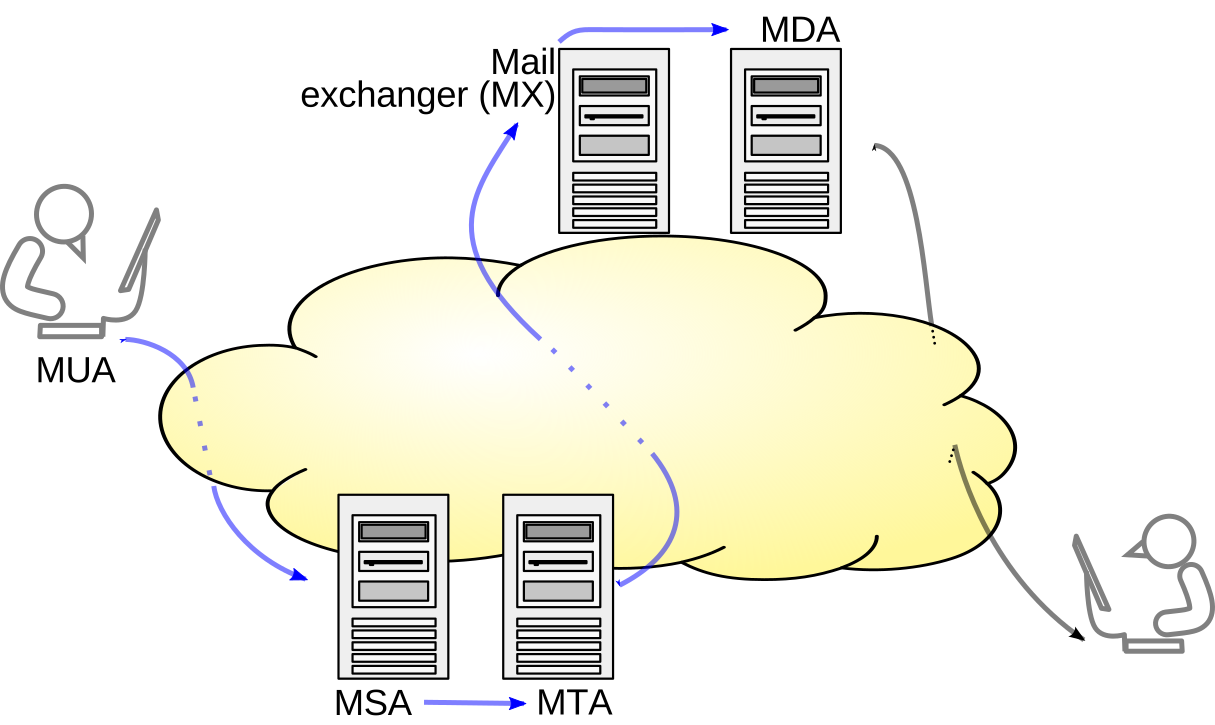
SMTP transfer model by Ale2006-from-en, CC BY-SA 3.0, via Wikimedia Commons.
